education
Vibe Coding From Your Phone Without VPN Chaos
May 4, 2026
You want to build with AI. The network keeps interrupting the work.
First you sit at the computer and switch the VPN on and off. AI works, banking breaks. Banking works, AI breaks. Google thinks you are in the wrong country. A local Hong Kong service gives you irrelevant results. Then you pick up the phone and repeat the same dance there.
At some point the work is not coding anymore. It is remembering which tunnel is on.
That is the hero of this workshop: a person who already has ideas, already has AI accounts, already has projects, but keeps losing time because the devices are not in one stable working environment.
We give that person a structure.
The real problem
Most AI coding setups are built around the laptop.
The agent runs on the computer. The project files are on the computer. The dev server is on the computer. The logs are on the computer. But you are not always sitting in front of the computer.
Your phone is the device in your hand. It can talk to ChatGPT or Claude, but it usually cannot safely reach the terminal, the project folder, the local preview, or the running agent session.
So you get the worst version of “mobile work”: messaging an AI from the phone, then walking back to the desk to do the actual debugging.
The missing piece is not another prompt trick. It is access.
What we built
The base layer is simple on purpose.
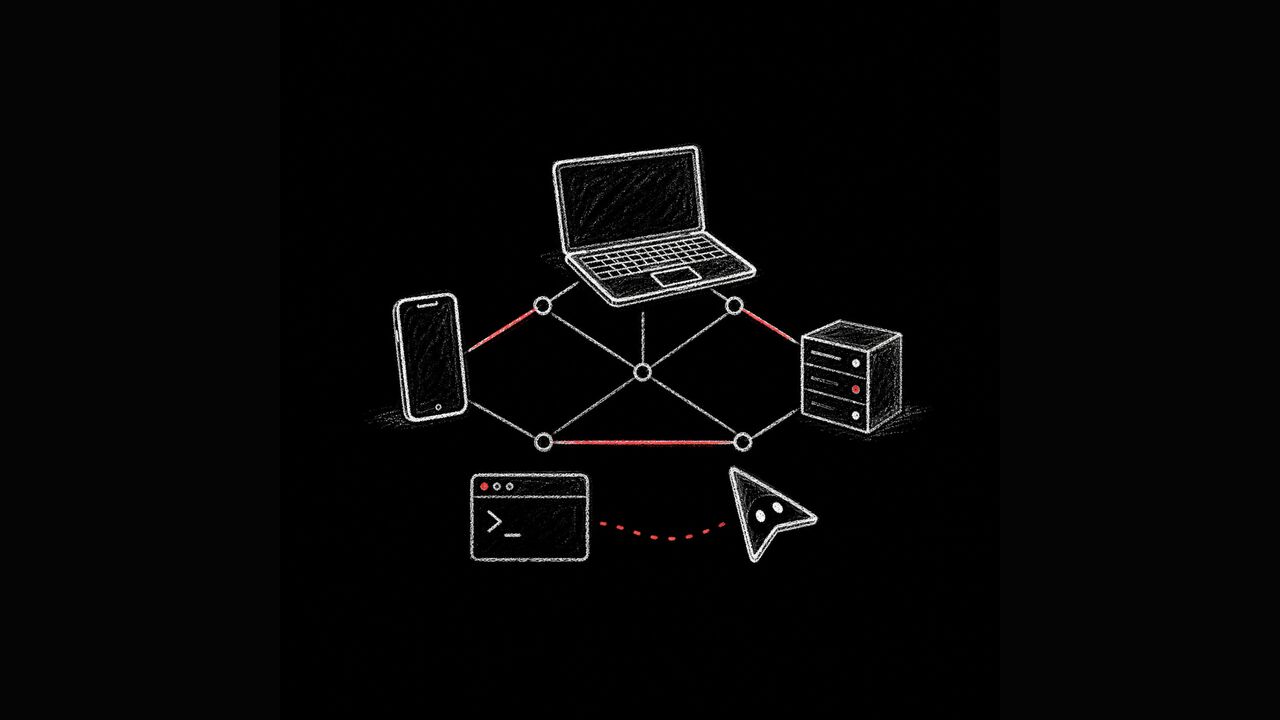
One small VPS. About $5/month. Tailscale on the VPS, the computer, and the phone. A Tailscale policy that routes OpenAI and Anthropic traffic through the VPS when needed, while normal websites stay direct. Terminal access from the phone to the computer. tmux so sessions survive reconnects. Taildrop for files. Pi-hole as a useful bonus.
The important part: everything sits inside a private mesh network. Your phone, computer, and VPS can see each other. The public internet cannot see your terminal or your dev server.
No random open port for the prototype. No cloud IDE panel exposed to the world. No “temporary” SSH dashboard that becomes permanent because everyone forgot it exists.
Termius + editor
files + tmux + agent
Tailscale connector + Pi-hole
Before and after
| Before | After |
|---|---|
| Switch VPN on and off many times a day | Tailscale stays on |
| Phone can chat with AI, but cannot reach the project | Phone is an authorized device in the same private network |
| AI traffic, bank apps, maps, and normal browsing fight for the same VPN slot | AI domains route through the VPS, other sites go direct |
| Local prototype only makes sense on the laptop | Private preview opens on the phone |
| Agent can edit, but you cannot comfortably review on mobile | Agent sends links and files to the phone |
| Debugging means walking back to the desk | Termius + tmux lets you reconnect from anywhere |
This is why the setup feels different. You stop thinking about the network. You start thinking about the product.
VPN vs proxy vs mesh
| Option | What it solves | What still hurts |
|---|---|---|
| Full-device VPN | Makes the whole device appear in another country | Breaks local context, slows normal browsing, conflicts with Tailscale on iPhone |
| Proxy | Can route some app traffic if every client is configured correctly | Does not put your phone and computer in one private network |
| Tailscale mesh + VPS | Gives devices private access to each other and routes selected AI domains | Requires one careful setup, then it should become boring |
A normal VPN is useful when you want the whole phone to look like it is somewhere else.
That is not the main vibe coding problem.
The main problem is that your phone, computer, files, agent, terminal, previews, and AI accounts are split apart. A proxy does not fix that either. A proxy may help a browser reach a model, but it does not give your phone safe access to your computer. It does not make the agent’s working directory reachable. It does not make a local prototype visible on your real phone.
The mesh fixes the actual workflow.
The stability test
I do not want to sell a setup that needs daily babysitting.
For my own setup, the Tailscale ACL history is boring in the right way:
| Date | Change |
|---|---|
| 2026-04-15 | Initial App Connector rules for Claude and ChatGPT |
| 2026-04-19 | Added claude.com when Anthropic moved more traffic from claude.ai |
On the VPS itself, Tailscale has been running since 2026-04-15 04:04 UTC. Pi-hole has been running since 2026-04-15 06:58 UTC. The machine has stayed up from the April 15 setup reboot.
That is the standard. If I have to keep touching configs every day, it is not a finished product. This workshop is about reaching the boring version: set it up once, make one or two real-world adjustments, then stop thinking about it.
The phone becomes a workstation
I use Termius for command line access from the phone. The second important tool is tmux.
tmux keeps the session alive. You can reconnect from the phone and the terminal is still there. The dev server is still there. The agent run is still there. You are not starting from scratch because the train went into a tunnel.
That changes what “away from the desk” means.
You can restart a dev server. Read logs. Check a file. Send a screenshot back. Ask the agent to patch something. Open the result on the same phone where the product will actually be used.
This is the base workshop. Telegram channels, agent routing, bot surfaces, and richer automation are separate layers. Useful, but later. The first win is much simpler: phone to computer, safely, reliably, with the real project folder and terminal available.
Private previews are the multiplier
Prototyping gets dramatically faster when the preview does not need to be public.
The agent can run a local site on the computer. You open the private Tailscale URL on the phone. You see the prototype on the real screen, with real mobile ergonomics, before anything is deployed.
Files can arrive through Taildrop. Links can arrive in chat. The agent can build, hand off, and keep working while you review.
For my own week, this easily saves several hours. Five hours is not a heroic estimate. The time disappears in small cuts: VPN toggles, wrong browser location, broken bank apps, walking back to the computer, uploading files, waiting for a deploy just to check a button on mobile.
The setup removes those cuts.
Security model
The security idea is intentionally simple.
We do not expose the terminal to the public internet. We do not expose the local prototype to the public internet. We do not rely on a random public control panel as the place where development happens.
Tailscale gives you a private WireGuard mesh. Only your authorized devices join it. The computer can stay behind NAT. The dev server can bind privately. The phone reaches it because it is inside the same mesh, not because you opened the door to everyone.
That is a clean baseline for AI work: the agent can access what it needs, and outsiders cannot.
Cost and side benefits
The money story is simple too.
Instead of paying for a VPN, paying for a proxy, configuring extra clients, and still losing the shared-network problem, you pay for one small VPS that becomes useful infrastructure.
It can route selected AI domains. It can run DNS filtering. In my case, it also runs Pi-hole, so ads and trackers get blocked at the network layer for devices that use that DNS.
That is not the core reason to do the workshop, but it is a good bonus. Less clutter. Fewer distractions. One base layer doing more than one job.
What the workshop covers
We configure:
- a small VPS
- Tailscale on phone, computer, and server
- selective routing for OpenAI and Anthropic domains
- SSH from phone to computer
- Termius for mobile terminal access
- tmux for persistent sessions
- private local preview URLs
- Taildrop or another file handoff path
- optional Pi-hole DNS filtering
The outcome is not another prompt library. It is a working environment.
You get a private network where your phone, computer, VPS, files, prototypes, and AI agents can finally behave like one system.
That is when vibe coding stops being a stunt and becomes a daily workflow.
Interested in this?
Learn about AI Education →